Run your FiveM server from the browser.

Players, inventories, jobs, bans and server.cfg in one panel. Changes reach the game instantly, and nobody has to join the server to make them.

The Standard plan is free with no time limit. No credit card.

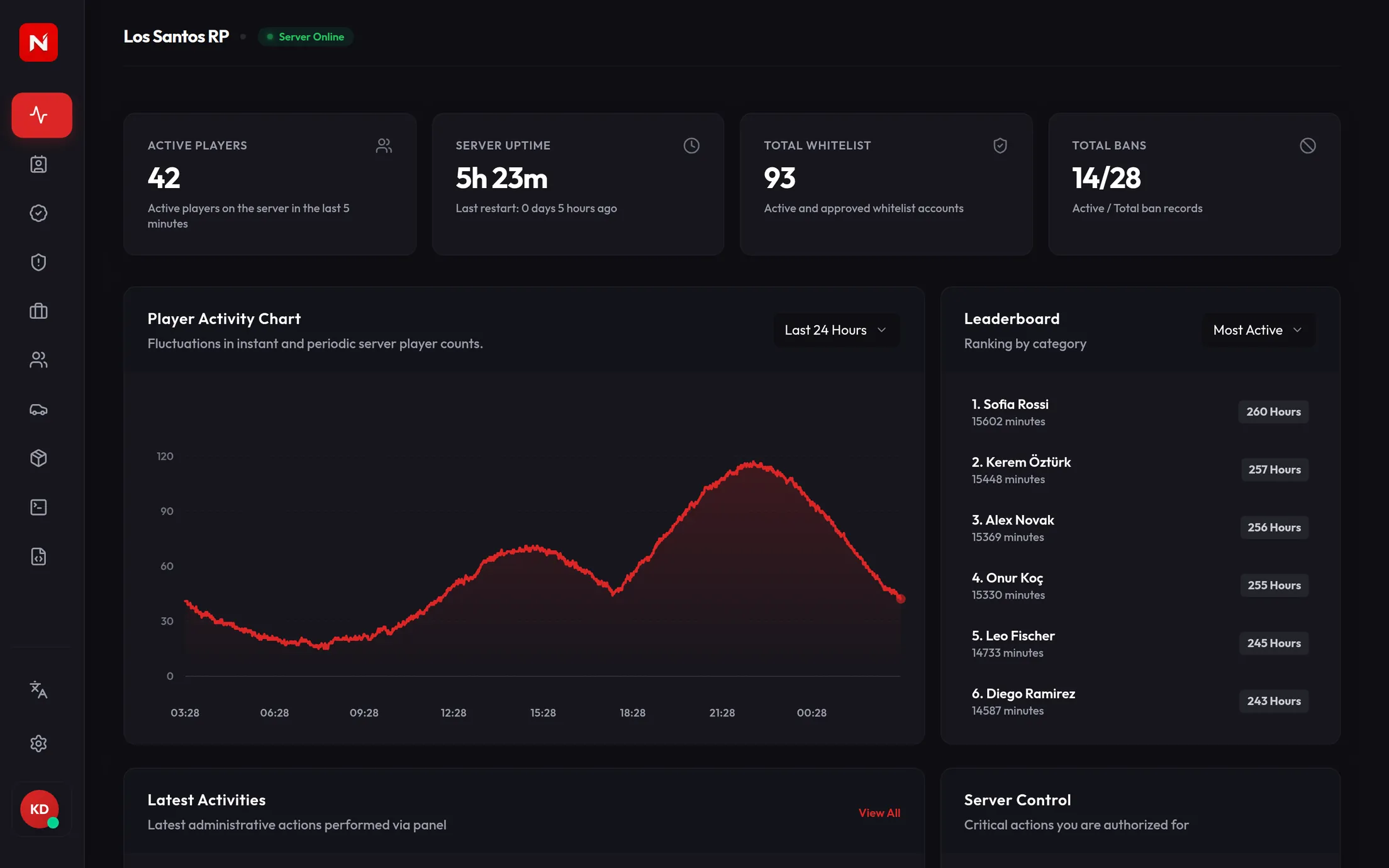
The Nesoi panel: server status, player activity chart and leaderboard

Works with

  • QBCore
  • ox_inventory
  • qb-inventory
  • jg-advancedgarages
  • txAdmin

What you can do without joining the game.

The panel is connected to your server live. Everything on screen is current, and every change goes straight into the game.

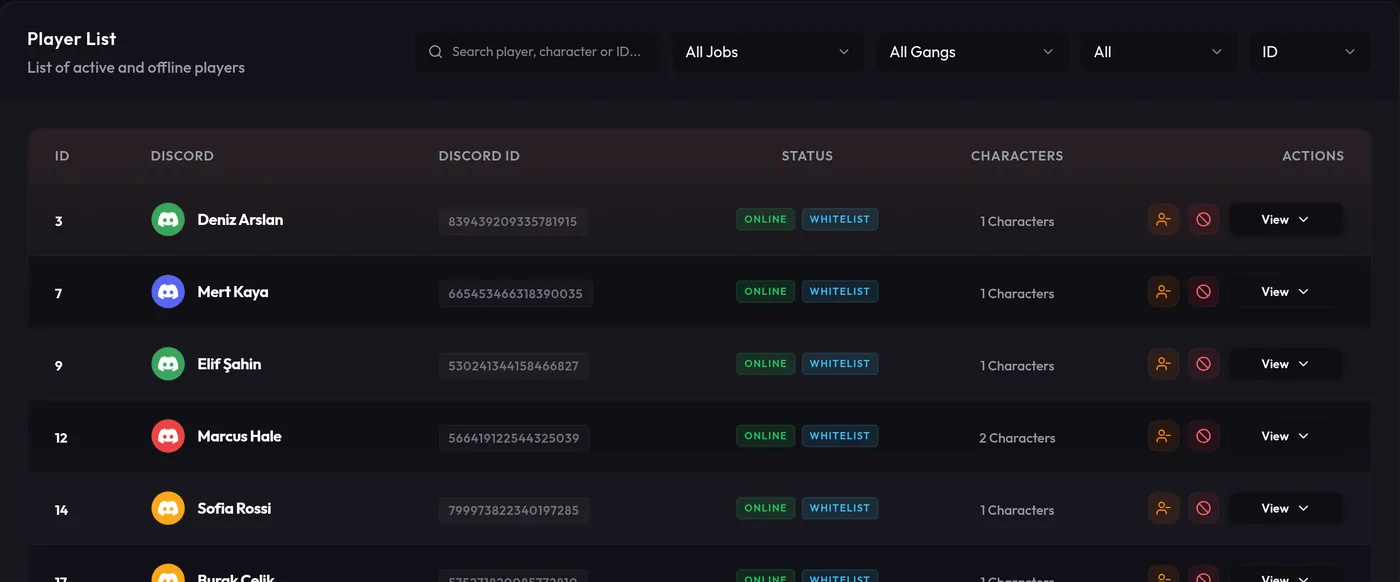
Find a player and act in one click.

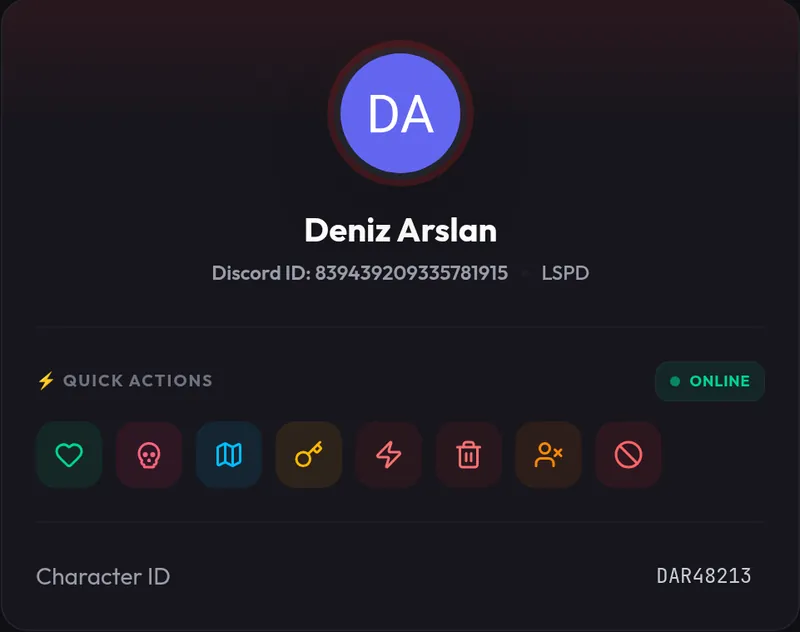
Every character, online or offline, in one list. Open a player to revive, teleport, kick or ban them, and change their cash, bank, job and gang from the same screen.

  • Search by name, Discord name or license; filter by job and gang
  • Kick, ban, revive, teleport and kill
  • Edit cash, bank, job and gang
Player list
Player card with quick actions

Edit inventories without joining.

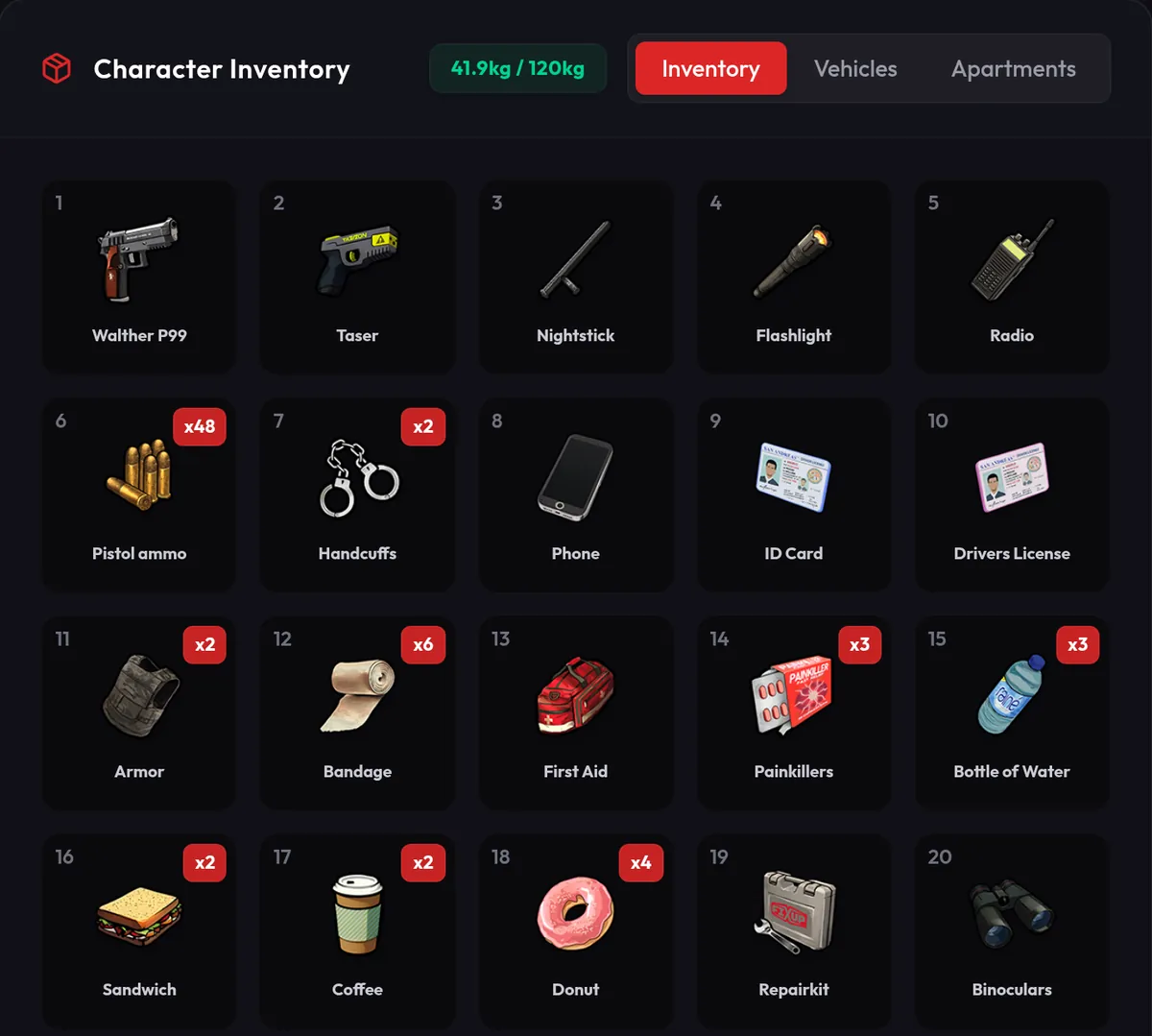
Open player, trunk, glovebox and stash inventories. Add or remove items or change their counts, and find duplicated or broken items to keep the economy clean.

  • Works with ox_inventory and qb-inventory
  • Set item name, weight and stack limit
  • Changes apply even while the player is online
Player inventory

Your staff can only do what you allow.

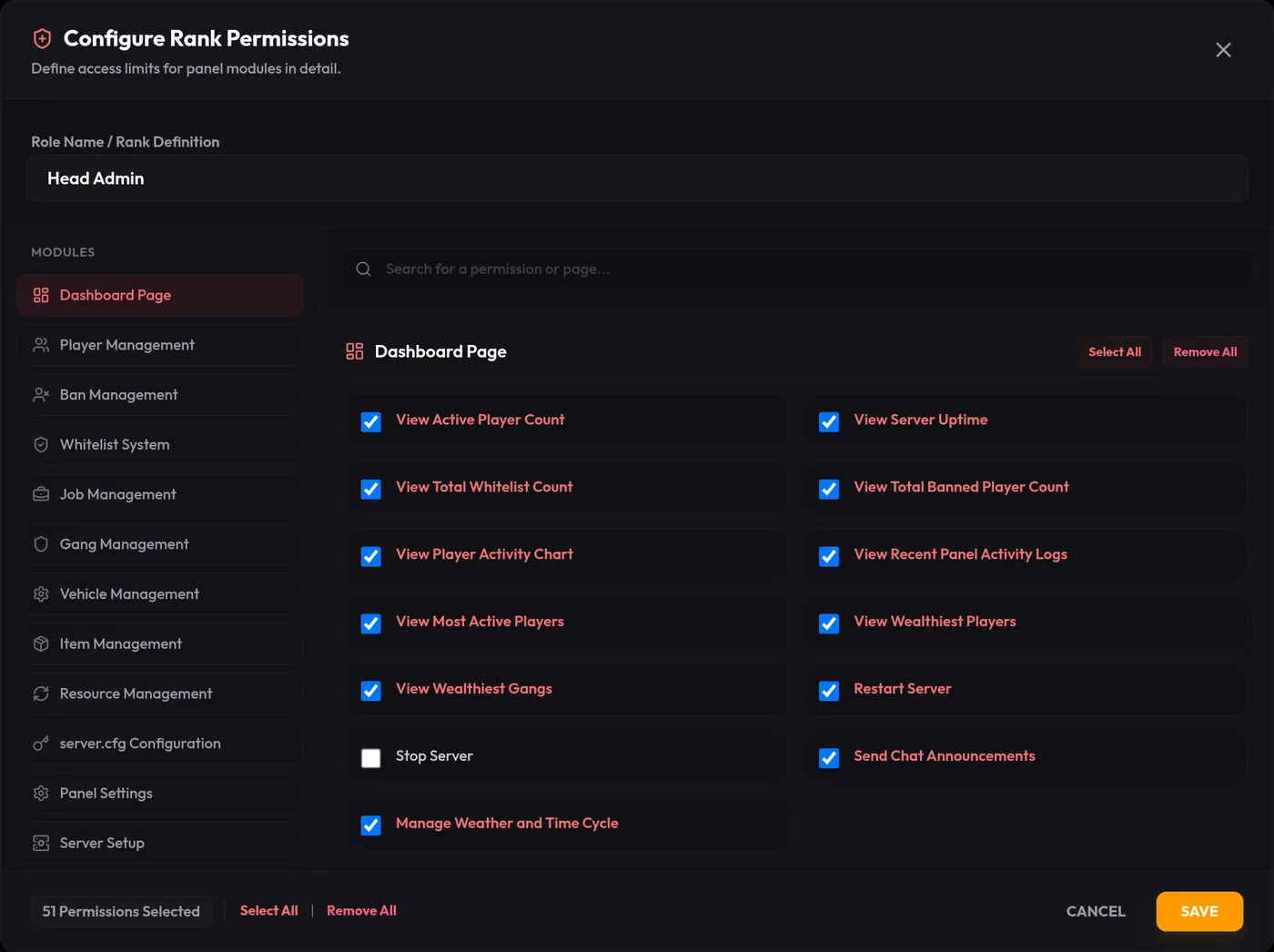
Give each staff member a role and choose which of 78 separate permissions it carries. Every action taken in the panel lands in the audit log with the person who did it.

  • Role permissions down to pages and actions
  • Who changed what, and when
  • Two-factor authentication on accounts
Editing role permissions

Grades, salaries and boss access in one table.

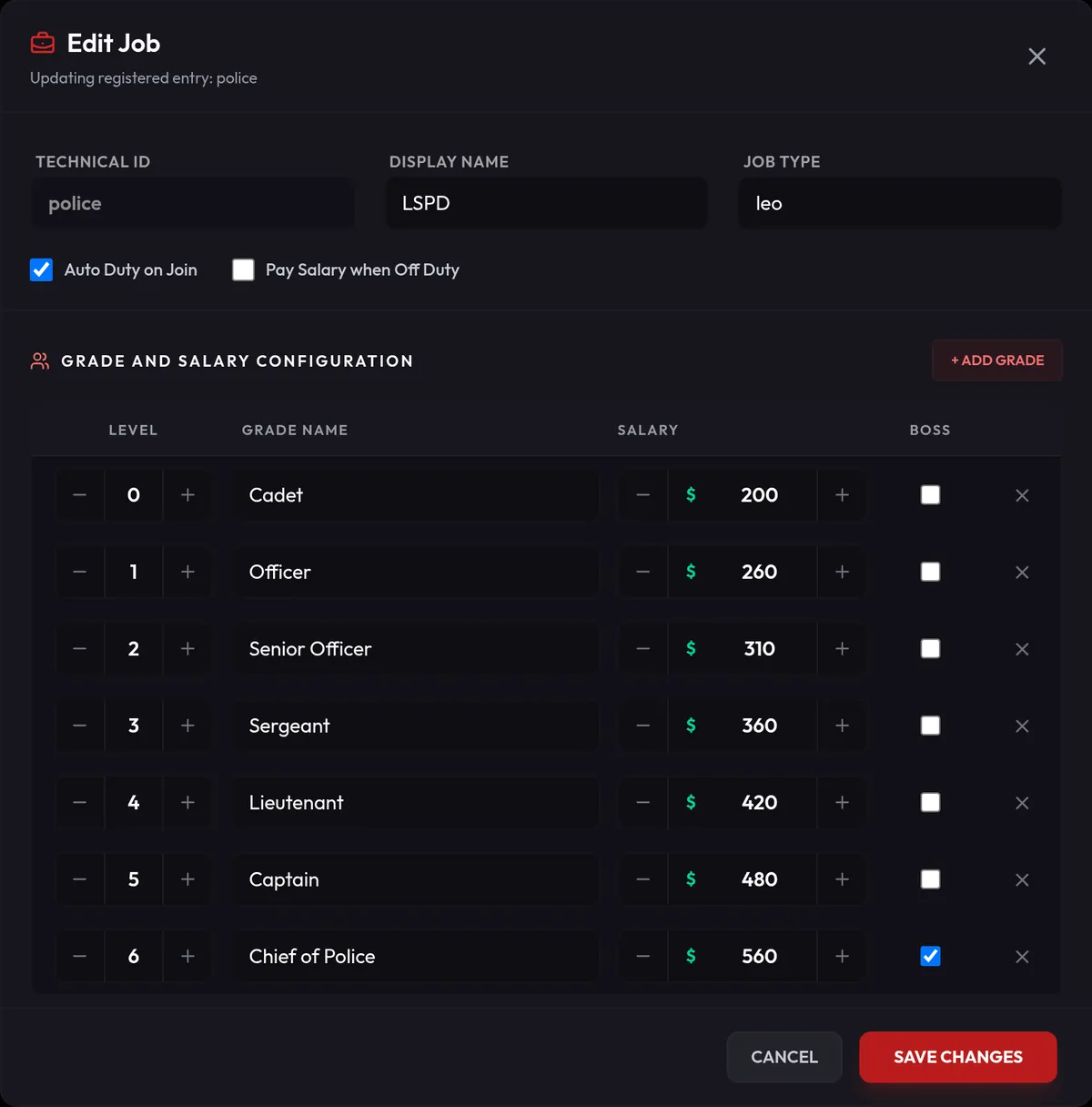
Create a job or gang and edit its grades and salaries. The shared files in qb-core are updated for you.

  • Create jobs and gangs from scratch
  • Salary and boss access per grade
  • Members of a deleted job become unemployed automatically

ProOn Pro, a backup is taken before every change, and you can roll back in one click.

Editing job grades and salaries

Bans and whitelist, with their history.

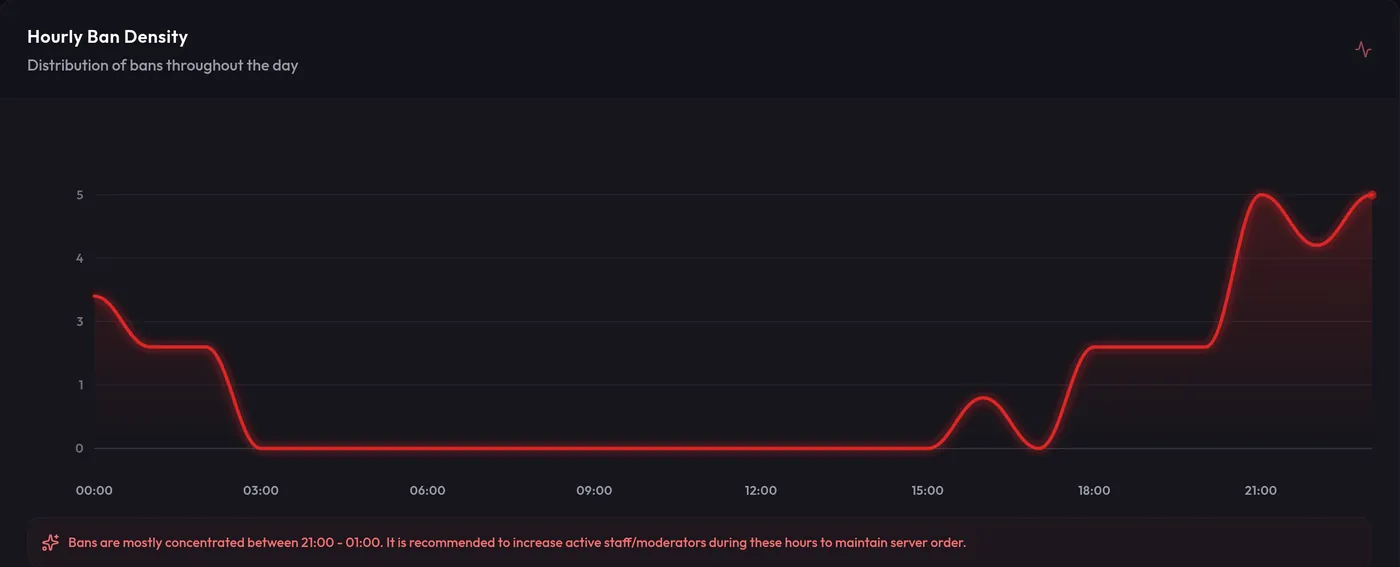
See timed and permanent bans with the reason and who issued them. Approve or reject whitelist applications. Charts show which hours are busiest.

  • Ban history and durations
  • Whitelist approval together with txAdmin
  • Hourly ban and application charts

ProDetailed ban and whitelist analytics are on Pro.

Hourly ban activity chart
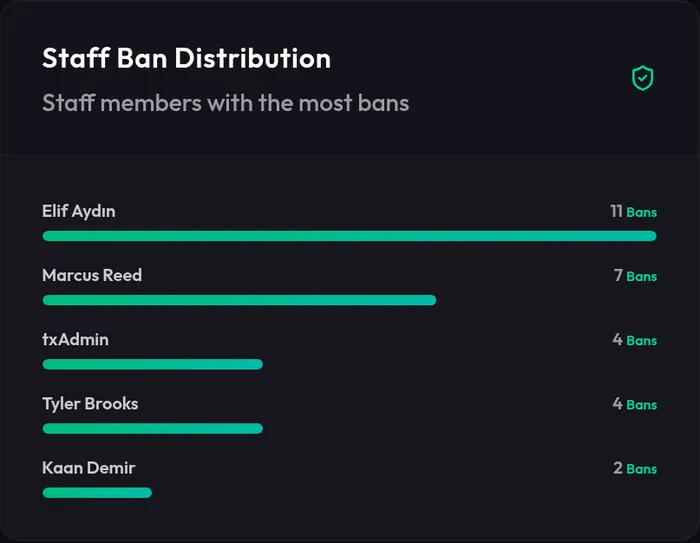
Bans by staff member

server.cfg and scripts, without FTP.

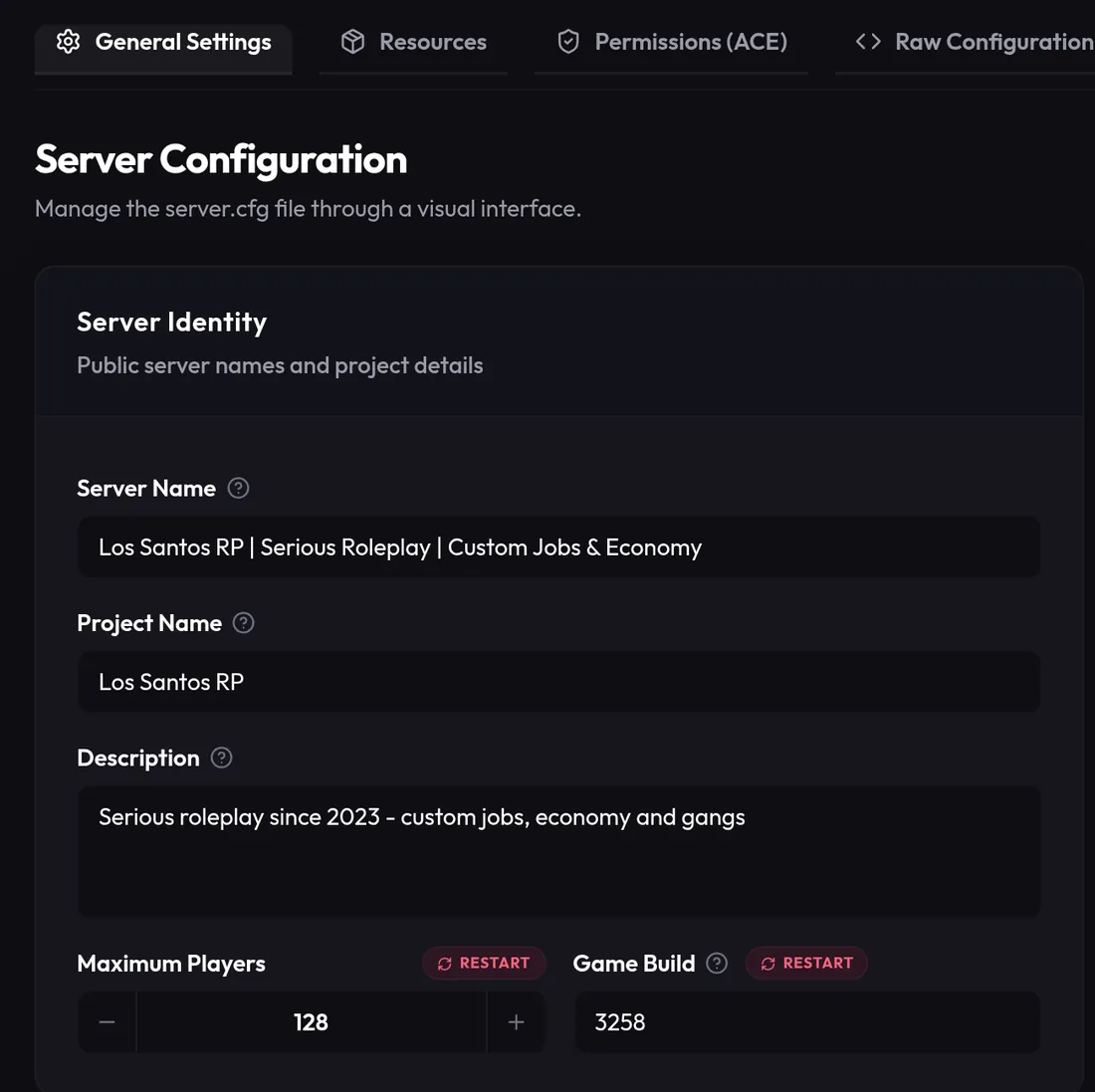
Edit server.cfg from the panel; start, stop and restart scripts. Restart the server through txAdmin and send announcements to players.

  • Edit server.cfg without FTP
  • Start, stop and restart scripts
  • Server restarts, weather and announcements
server.cfg editor

Even when you're away from your desk.

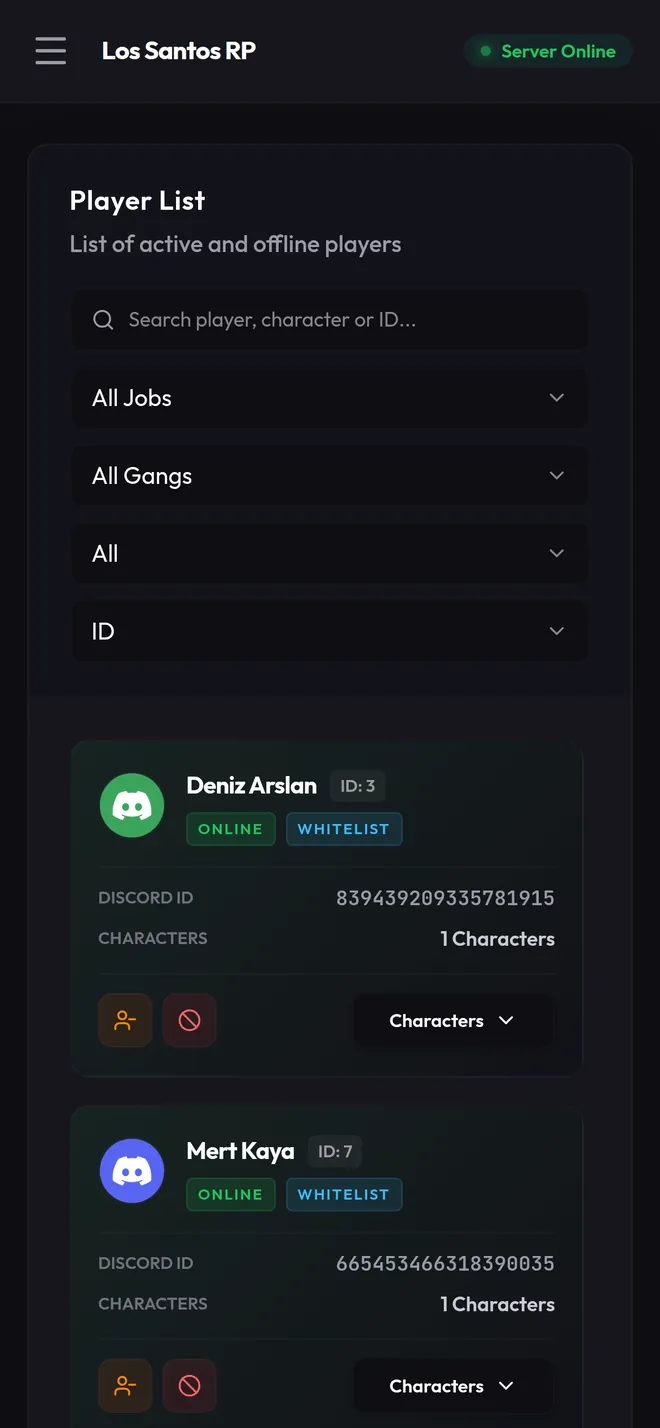
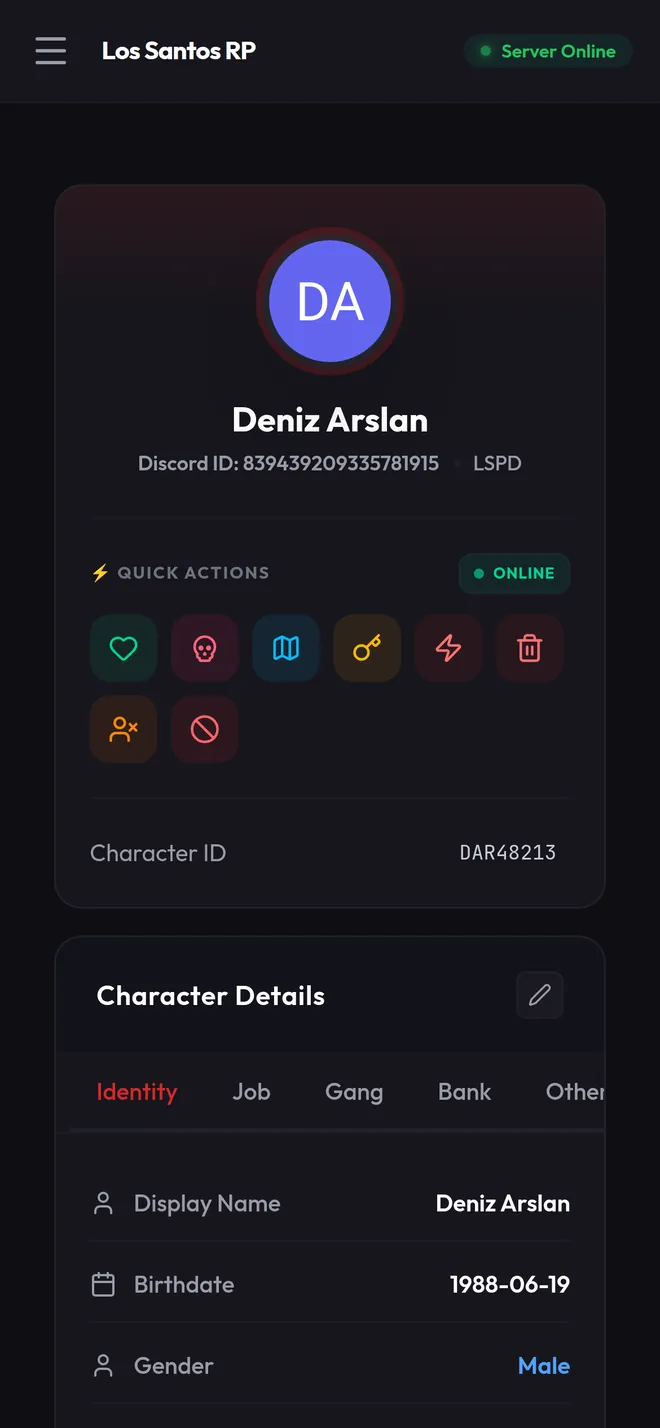
The panel works fully on a phone. Handle a report from the player list, the inventory or the ban screen, just like you would at your desk.

Player list on a phone
Player details on a phone

And the rest

  • Vehicles

    Ownership transfers, plates, garages and damage.

  • Statistics

    Hourly player charts, the most active and the richest players.

  • Announcements

    Send announcements to players and change the weather.

  • Diagnostics

    Hit a problem? Send a report from the panel and support sees the same record.

Connected in three steps.

You add two resources and a small connector program to your game server. Everything else happens in the panel.

  1. 1

    Add the resources

    Put nesoiApi and nesoiWeb in your resources folder and add them to server.cfg.

    ensure nesoiApi
    ensure nesoiWeb
  2. 2

    Run the bridge

    Nesoi Bridge runs on your server machine and connects the panel to the game server. The file you download from the panel comes with its settings.

    nesoiBridgeWindows · Linux
  3. 3

    Add your team

    Connect your server to the panel, invite your staff and give each of them a role.

    OwnerAdminSupport

Heavy lifting happens on the web side, so it doesn't cost your game server FPS.

Read the setup guide

A short tour of the panel.

Start free. Move to Pro when your team grows.

Every management tool is in the Standard plan. Pro removes the staff and role limits and adds backups and longer history.

Standard

For a single server and a small team. No time limit.

$0forever

No credit card or payment required

  • Live player tracking and management: kick, ban, revive, teleport
  • Live inventory viewing and editing (player, vehicle, house)
  • Job, gang, vehicle and item management
  • server.cfg editing
  • Starting, stopping and restarting scripts (resources)
  • Whitelist application and approval flow
  • Granular role-based permissions (78 individual permissions)
  • 5 panel administrators and 5 roles
  • The last 7 days in the player activity chart

Pro

For large staff teams and big communities.

$7.42/mo

billed $89 annuallytax included

Payment and invoicing are handled by Tebex. Cancel any time.

  • Everything in the Standard plan, plus:
  • Unlimited panel administrators and unlimited roles
  • Job and gang backups: automatic backups, listing and exact restore
  • The last 90 days in the player activity chart. History is never deleted and all of it opens up on Pro
  • Detailed ban and whitelist analytics
  • Priority support

Prices are in US dollars (USD) and include applicable taxes. All payments are handled by Tebex. Please review the Distance Sales Agreement and the Software Licence Agreement (EULA) before buying.

Frequently asked questions

Short answers to the questions we hear most. For anything else, our Discord is the fastest way to reach us.

Still have a question? Ask on Discord

In-game menus are good for basic actions. Nesoi gives deep web-based management for players, gangs, jobs, vehicles, and inventory data.

Yes. With Nesoi Bridge, your web actions are synced to the live server in real time.

Nesoi is built for QB-Core. Qbox is a QB-Core fork with a very similar data model, but we have not tested it yet, so we do not list it as supported. ESX is not supported and will not be added.

Setup is simple. Heavy data processing is offloaded to our web infrastructure, so it does not hurt your in-game FPS.

Yes. The Standard plan costs nothing, needs no credit card and has no time limit. It is not a trial; the Pro plan only adds extra features on top of it.

Unlimited panel administrators and roles, automatic job and gang backups with exact restore, 90 days of history in the player activity chart instead of 7, detailed ban and whitelist analytics, and priority support.

You can cancel at any time through Tebex. Pro features stay active until the end of the period you already paid for, then your account returns to the free Standard plan. Because the license is delivered instantly as digital content, paid periods are not refunded.

Connect your server today.

The Standard plan is free. If you get stuck during setup, write to us on Discord.